01
Reading & navigation
Find your place.
Move through pages, follow bookmarks and search document text. Keep the document at the center of your work.
 FoxPDFLet’s talk
A desktop workbench, in development
A little less friction.
A lot more room to work.
A desktop PDF workbench for everyday work and agent automation. Thoughtful tools, with your document at the center.
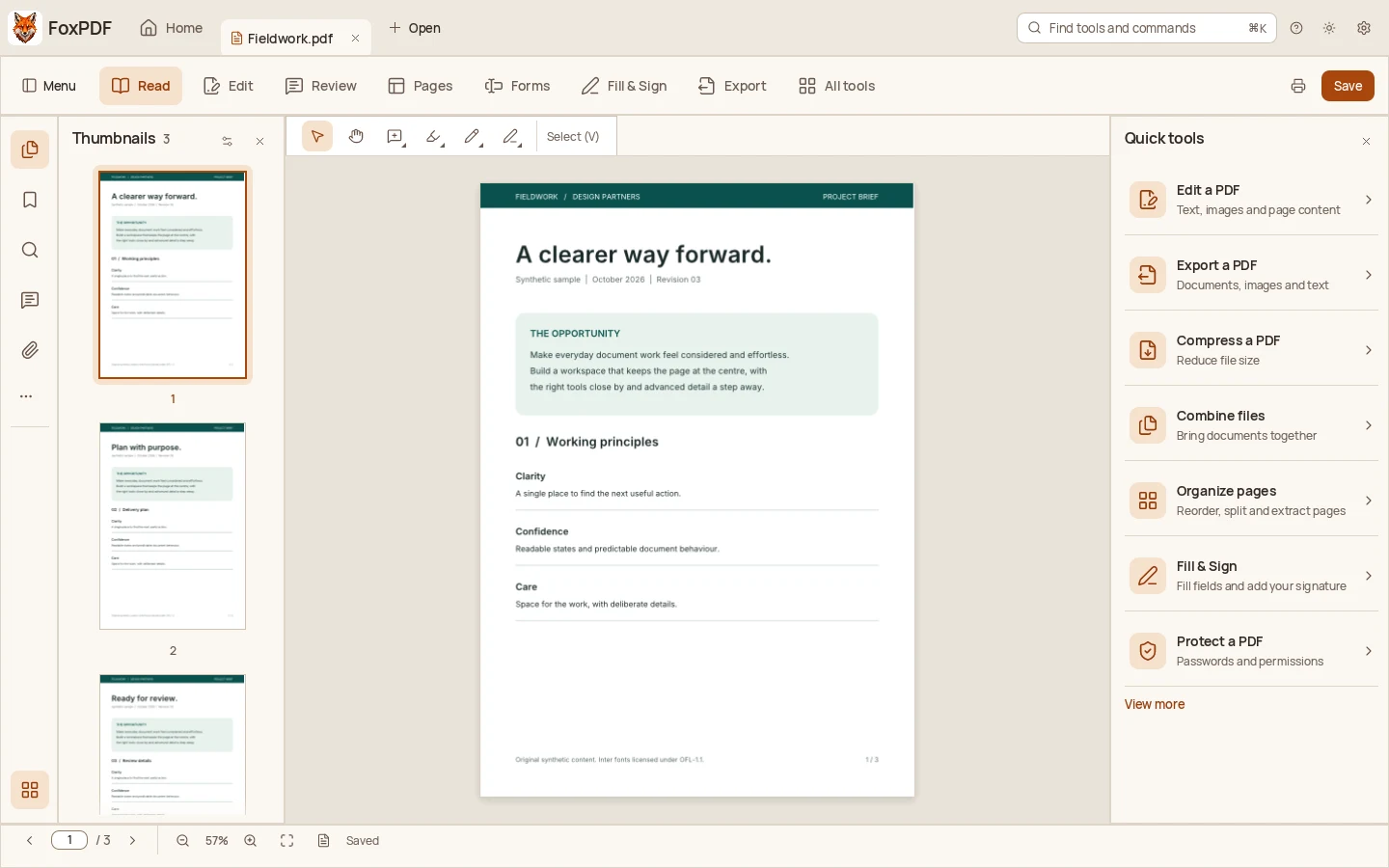
One workbench. Everyday possibilities.
Read, organize, review and move work forward. Explore workflows already implemented in development, with release acceptance still in progress.
Reading & navigation
Move through pages, follow bookmarks and search document text. Keep the document at the center of your work.
Editing & page organization
Edit supported text, combine PDFs, rotate pages and rearrange the sequence. Shape the document for the task.
Review & comments
Highlight a passage, add a note and keep feedback beside the work. Review with a little more context.
Forms & signatures
Fill text fields, choose options and work with supported signature tools. Certificate trust and verification have documented limits.
Conversion & export
Create PDFs from images and export pages as PNG, JPEG or TIFF. Choose the format your next step needs.
Agent automation
Use the command line and MCP tools to inspect documents and run supported workflows in an explicit workspace.
For you. And your agents.
Use FoxPDF by hand, from the command line, or through a compatible agent. MCP gives agents a structured way to work with supported PDF tools in a workspace you choose.
Explore automationfoxpdf-cli toolsExplicit files. Structured operations.
A workflow you can inspect.
A place for your documents
FoxPDF is a desktop product. This website introduces it, without opening, uploading or storing your PDFs.
The desktop workbench works with local documents. You choose the files and the workspace for supported automation.
Contact email and optional AI support are separate from document work. Their data handling is disclosed before use. Agent providers may have their own policies.
Read about privacyYour desktop, your choice
macOS, Windows and Linux are intended launch platforms. Public installers, architectures and minimum requirements will be listed after release acceptance.
Check release availabilityNot yet. FoxPDF is in development, and no public installers are available. The downloads page will list only reviewed public releases.
macOS, Windows and Linux are intended launch platforms. Released architectures, minimum requirements and signing details will be listed with each installer after acceptance.
No. This website has no PDF editor, document upload or cloud document storage. The desktop workbench works with local files. Optional agent and external-service workflows have their own data boundaries.
A compatible agent can use FoxPDF tools through MCP. The CLI also exposes tool schemas. You choose the local workspace and the operations you authorize. This website does not connect to your desktop app.
Pricing and licensing terms have not been announced. Purchasing and customer accounts will be added once those decisions are approved.
An automatic updater is not available. The current development app has a manual check hook with no configured update service. Future release details will explain the supported update path.
A more considered way to PDF
Get to know the workbench we’re building.